Best iPhone apps for saving book quotes
Choose by how you read and what you want to find again.
Start with how you want to find a passage again. Refrain keeps the line and your thoughts together on iPhone. For book and chapter order, choose Highlighted; for page numbers and a reading journal, Underline. Readwise Highlights is the better fit for collecting highlights from supported ebook services.
Picture the last sentence you copied out of a book. Did you want it for a talk, to remember the scene, or to keep an idea you disagreed with? That reason matters more than whether the app can make a handsome card. A collection needs to get you back to the words, their source, and the reason you kept them.
We make Refrain. The comparisons use the other publishers’ documentation, not independent hands-on tests.
Options and what each does well
| Option | Use it for | Tradeoff to consider |
|---|---|---|
| Refrain | A collection built around individual lines | Free plan has a 50-entry cap across quotes and proverbs |
| Book Tracker: Highlighted | A bookshelf with chapter order | Kindle or CSV highlight import is a Highlighted+ feature |
| Underline: Book Quotes & Notes | A paper reading journal | Book-first organization is less useful for a collection that mixes books with other media |
| Readwise Highlights | An existing ebook highlight habit | Highlights Only doesn't include Reader |
A quick comparison by reading habit
Run a retrieval test before comparing feature counts. Save a sentence with a distinctive word, a passage you remember only by its author, and a line you remember for a reason that isn't in the text. A week later, try to find all three. If you only ever look within a book, a shelf with chapters will take you further than a library-wide tagging system.
If you pick books up in several formats, list your last five saves by origin first. A shelf full of library books calls for a different default than a Kindle backlog. You can also keep two habits: let imported highlights stay in their existing service and give only a few passages a separate home.
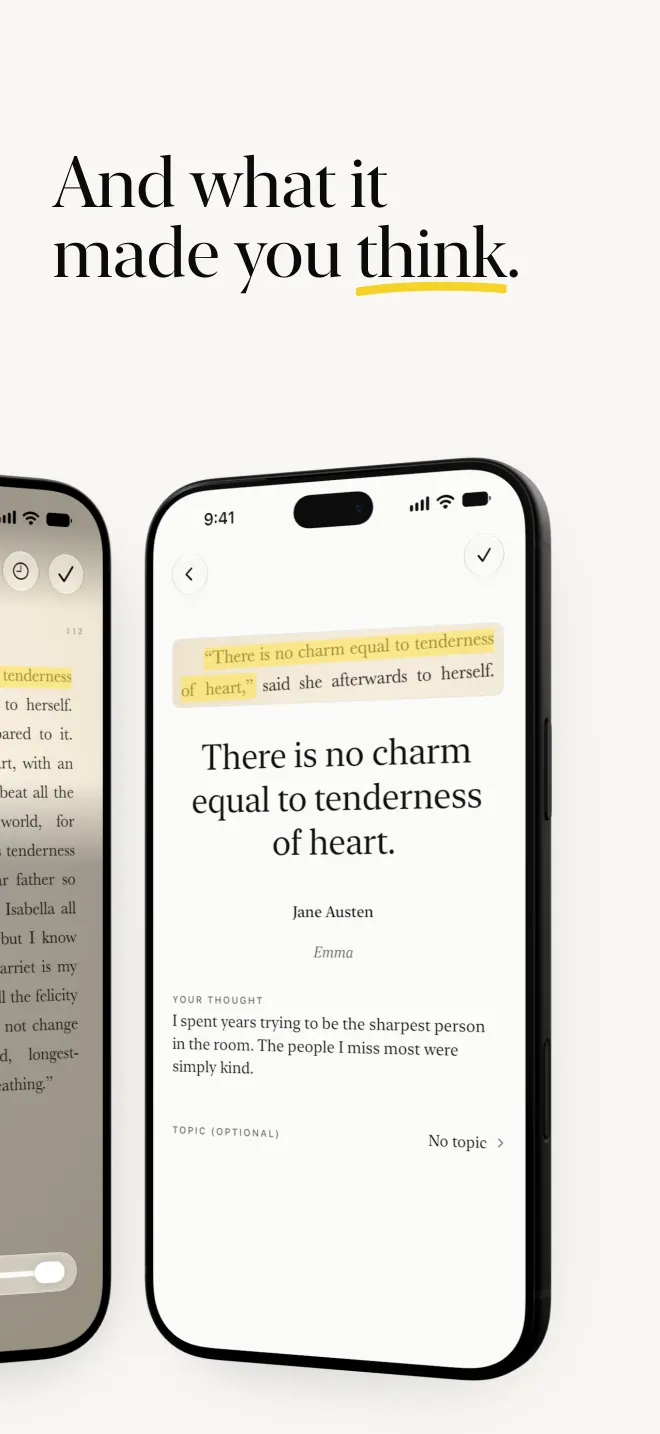
Keep the passage and what it made you think
A good first entry is short enough to reread without opening the book. Keep one sentence before it if a pronoun, a joke or a change of speaker makes it unclear. The words around a quotation are evidence, not decoration. If you omit words, don't edit the author's sentence to make it support your own reading.
Add a separate note that starts with a specific observation. For the original sample line ‘The path looked shorter from the other bank,’ you might write: ‘I was wrong about when the character decided to leave; look again at the scene at breakfast.’ That's a better search clue than ‘beautiful’. Keep edition and page in the surrounding note if citing an exact passage later matters.
Choose by book, line or imported highlight
Choose a book-centered app if your first question is ‘What else did this author say here?’ Choose a line-centered app if the same question turns up in several books or if your own response is usually the reason you return. Choose an importer if the cost of copying dozens of existing highlights would stop you from starting.
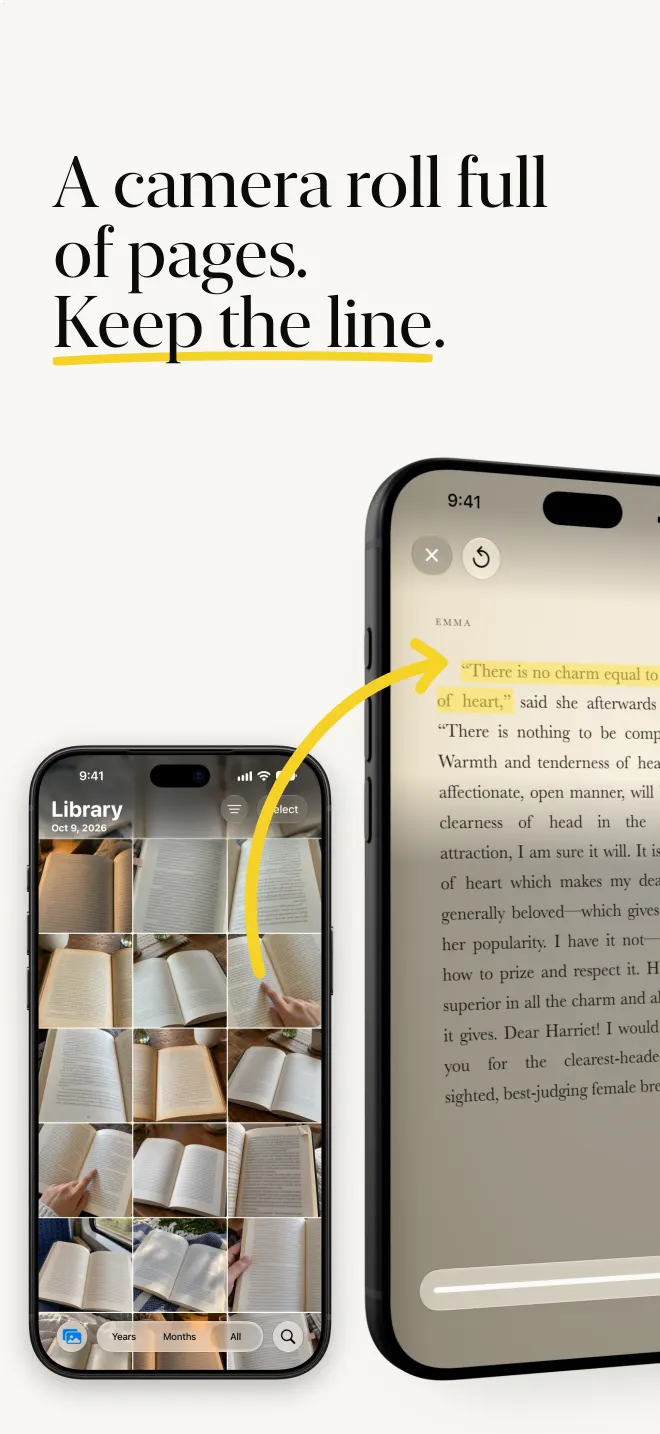
Don't move a library just to test a layout. Use the book on your table now and one line you would really want again. For a closer look at that first capture, see how to scan a printed passage.
Test with this week's book
- Save one passage from the book you are reading now. Keep its wording intact and check who is speaking.
- Save the title and author, and put the edition and page in a note so you can find the passage again.
- Write one sentence about why it mattered. In a few days, find the passage using a word from your note, then try finding it by author.
The choice comes down to what you will look for
Pick Refrain for an iPhone collection of hand-selected lines and personal thoughts. Use Highlighted or Underline if the book and the page are the index you need; keep Readwise for supported highlight imports. A collection succeeds when you can recover the right line, not when it contains every line you noticed.
Frequently asked questions
Can I save a book quote without typing it?
Yes. Refrain, Highlighted and Underline recognize text from a printed page. Select just the passage you want and check it against the page before saving; small errors often look plausible once you no longer have the original.
Is a quote app the same as a book tracker?
No. A quote collection starts with the words you saved. A book tracker starts with the book, with features such as reading status or chapter order. Some apps do both; decide which view you want to open first.
Can Refrain pull in Kindle highlights?
There is no documented Kindle integration. For that job, look at Readwise Highlights or Highlighted+ and check the supported workflow before moving your collection.
Sources (7)
- Refrain (accessed )
- Book Tracker: Highlighted (accessed )
- Highlighted developer overview (accessed )
- Underline: Book Quotes & Notes (accessed )
- Readwise Highlights (accessed )
- Readwise paper capture (accessed )
- Readwise Highlights documentation (accessed )
Related guides
- Best apps for scanning passages from paper books
Need one editable passage, not a PDF? Compare Refrain, Underline, Highlighted and Apple Notes for selecting and checking printed text.
- A Readwise alternative for paper-book quotes on iPhone
Keep Readwise for synced highlights, or try Refrain for paper passages and personal reflections. Here's how to use both without migrating.