An Apple Notes alternative for saving quotes on iPhone
Don't move your folder until you know what a dedicated quote library would fix.
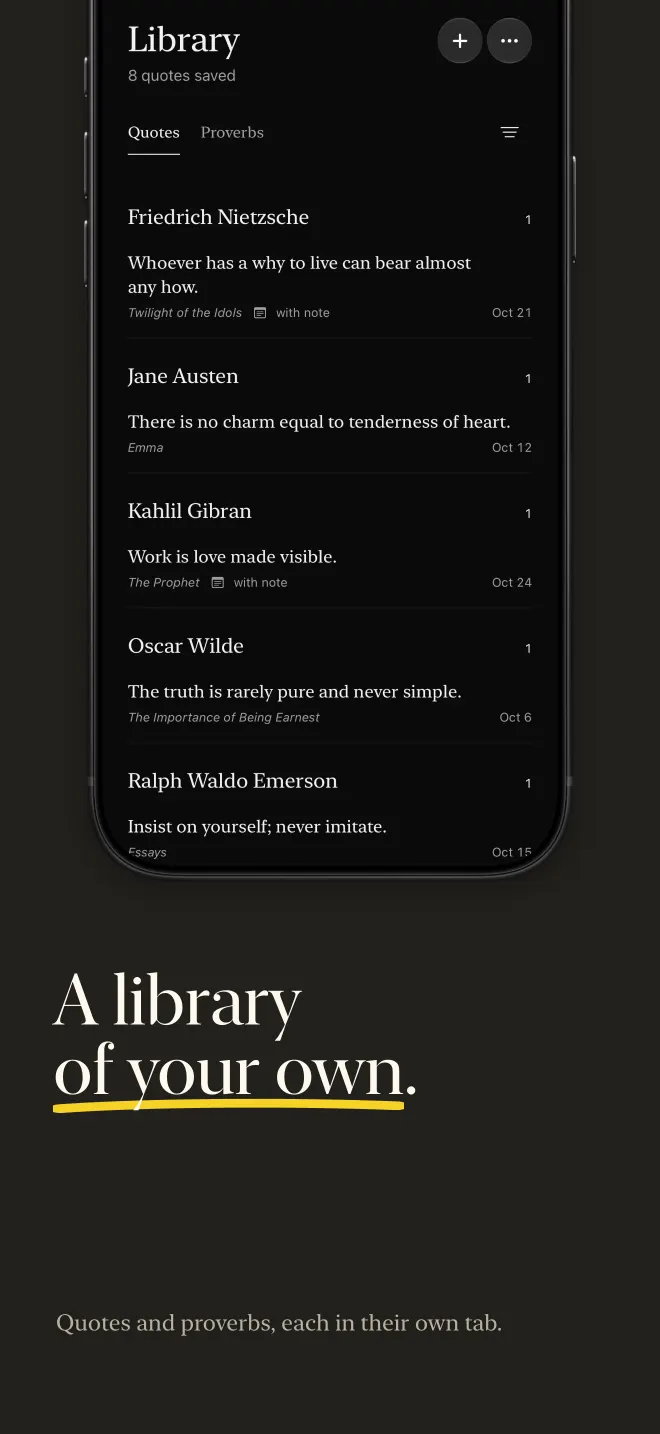
Refrain is an Apple Notes alternative for iPhone readers who want each quote to have its own source, thoughts and place in a library. Keep Apple Notes if you already find your quotes easily or if a passage belongs with drafts, attachments and other notes. Notes can scan text, search, tag and link; the reason to switch is how the entries are organized, not the absence of those tools.
Start by opening your existing folder. What is actually going wrong? A single long note may be easy to add to and hard to skim. One note per quote may be easy to tag and tedious to make. Or the folder may work beautifully, in which case there is no need to replace it.
We make Refrain. The comparisons use the other publishers’ documentation, not independent hands-on tests.
Options and what each does well
| Option | Use it for | Tradeoff to consider |
|---|---|---|
| Refrain | Separate entries for the words and your reaction | Designed for iPhone, not a workspace for general notes |
| Apple Notes | A flexible notebook alongside your other work | Fields, naming and review are conventions you maintain |
A quote folder that already works
If your notes mostly end up in something else—a lecture outline, a piece of writing, a book club agenda—keep the passages where you use them. The advantage is seeing the surrounding argument, not having the cleanest index. Apple documents text scanning if typing is the only pain point and tags if you need a second way to find a note.
If you need to retrieve a single passage, first try giving it its own titled note with a page reference and one tag.
Free-form notes versus structured quote entries
Refrain starts with a quote entry rather than a blank sheet. Search can match words in the quote, its attribution, a tag or one of your earlier thoughts. Proverbs have their own tab and don't require an invented source. Choose that organization if you're regularly doing the same small indexing task by hand.
The extra structure is useful only when it reflects your future questions. If you mainly need to find one thought you wrote about a line, keeping separate thoughts helps. If you need the whole meeting transcript or annotated scan that led to it, a free-form note holds more context. You can also choose to see a saved quote on Refrain's daily Home view instead of opening your folder deliberately.
Try a new line before moving anything
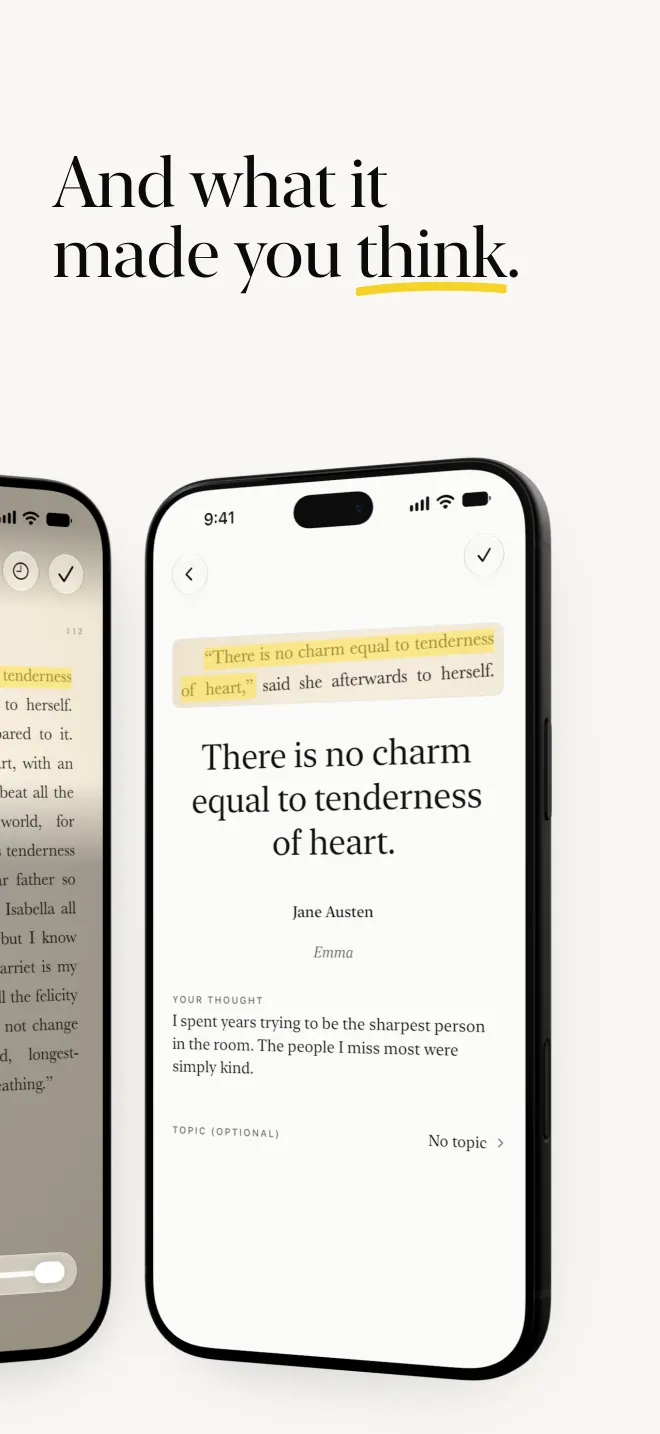
Don't start with a six-year import project. Use the next quote you would have put in Notes. Keep the exact words, the work and a locator like page or chapter, then put your reaction in a separate sentence. In Notes a label and date can do that job. In Refrain, put the response in the thought field and add another later if your reading changes.
If you prefer a separate entry for each line, compare apps that keep your thoughts beside a quote.
Compare one real save
- Pick a book line you would normally keep and record the source while the book is nearby.
- Try the same wording and one thought in your usual Notes format and in a dedicated quote entry.
- Later, look up the line without using its exact words. Keep the workflow that makes that particular lookup easier.
Change the format only if the new one solves a real problem
Keep Apple Notes when flexibility and proximity to your other material matter. Use Refrain when your quote folder wants to become a library of its own. You can start with new lines and let the existing folder remain a useful archive.
Frequently asked questions
Can I scan printed text in Apple Notes?
Yes. Scan Text selects words and inserts them into a note. It is different from Scan Documents, which keeps a scan of the page.
Can I move an Apple Notes folder straight into Refrain?
There is no documented direct Apple Notes integration. Keep your notes intact and start with a manually entered passage or a new capture.
Is a proverb just a quote without an author?
In a loose notebook it can be. Refrain has a separate proverb mode for sayings passed down without a named author or book.
Sources (4)
- Refrain (accessed )
- Apple Notes (accessed )
- Apple Notes text scanning (accessed )
- Apple Notes tags (accessed )